Keel · Guides · Routines & Programs
Choose how often
How do I set the schedule?
Under How often set Repeats; under At what time keep a time, add another or turn on Any time of day; under Duration set when it starts and ends.
AvailabilityFree · Assumes at least one time, or Any time of day
The routine form › How often, At what time and Duration (+ › New routine, or + › Manage routines › the routine › Edit).
- At least one time, or Any time of day.
Steps
- Under How often, set Repeats: Daily, Every other day, Every 3 days, Weekly on days, Times per week, or Every N days.
- Weekly on days shows a row of weekday discs — tap the days. With none selected the footer reads "No days selected — repeats weekly on the start date’s weekday."
- Times per week shows a stepper (1–7) and a footer "Spread evenly from your start date: …" naming the days Keel will use for your start date and count (for the example’s Monday start and 3, "Mon, Wed, Sat"). Every N days shows a stepper (1–90).
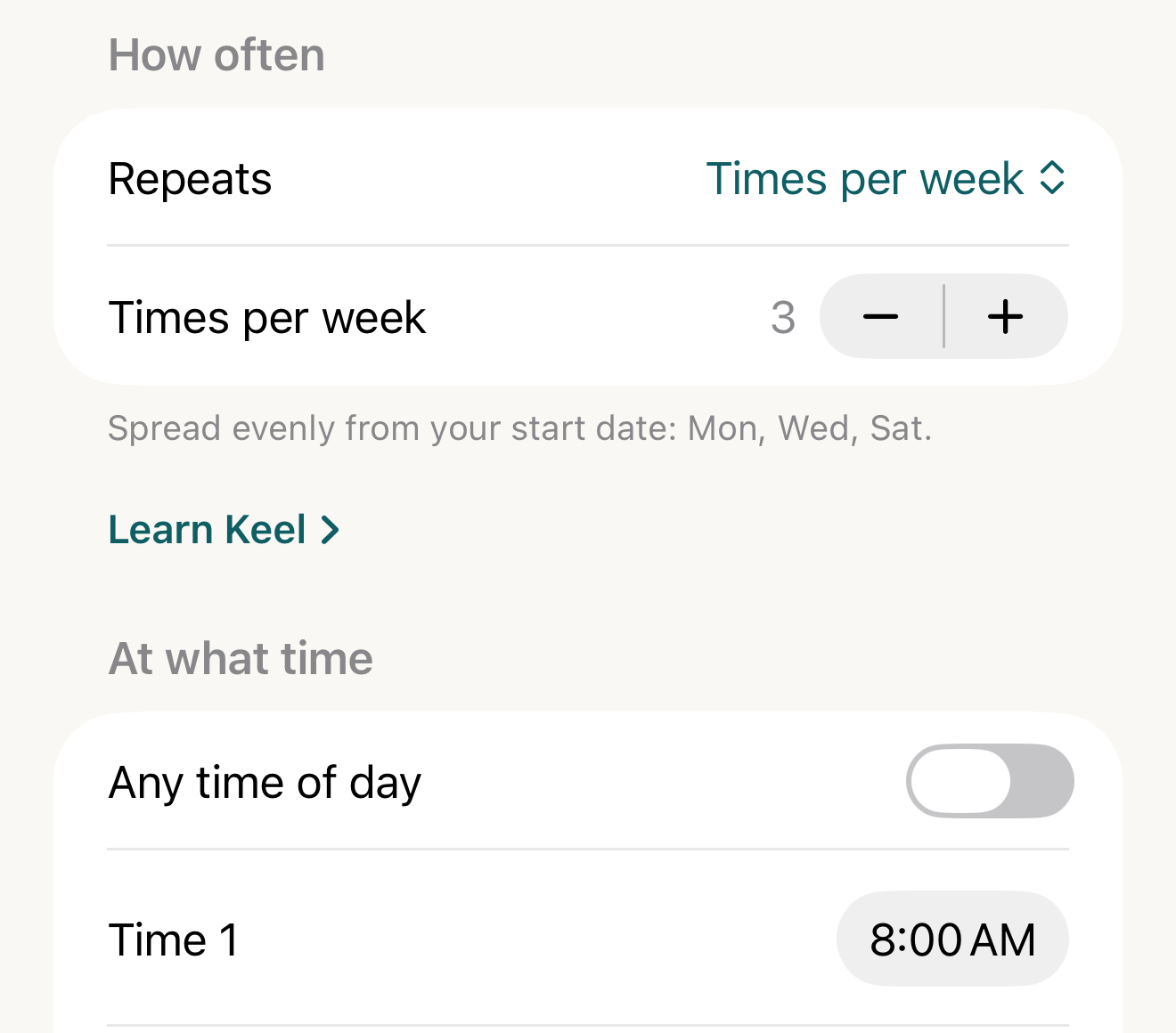
Fictional routine: three times a week from a Monday start; the footer names the days Keel will use before you save. - Repeats
- Times per week stepper
- footer with the concrete days
- Time 1
Where this screen comes from
- File
C1-F1-how-often-times-per-week.png(1320×1160);C1-F1-how-often-times-per-week.webpis a lossy encode of it- Derivative SHA-256
75ef94dc1ace9004982a5e5bd4ed6e5f2a799482d493307b168546dcc9b783c8- Source
C1-F1.pngin packageKeel-WT-7e41269-guide-figures-B2-20260924-111151-1756- Source SHA-256
b563f114d904e5740973c3b137a29f64514f31cd4f392b22206dd68128d2b8f5- Package seal
f9b0083234734b6b16f58e455596067bde9182e8e0ff62c5e84cdfae8ad22c6f- Captured from
- Keel 1.0.0 (1), implementation
working tree 7e41269 (NOT a candidate; head 7e4126919da3a44a9ad2f2efaf3ad2467c1fbff7, build-input tree c863167fe1474c471d3562fe90f5f107c9598edff3903cdfc58b89bc7ae3032c, build build-20260924-103514-93133) - Operation
- crop x0 y1080 w1320 h1160 (source pixels, origin top-left)
The numbered markers are drawn by the page, not into the image.
- Under At what time, keep Time 1 or change it, tap Add another time for more, or turn on Any time of day ("The dose is due on its scheduled day, any time before the day ends."). A timed routine reads "Every dose is scheduled at an exact time."
- Under Duration, set Starts and, if it ends, Ends on a date.

Three times a week from a Monday
Fictional exampleThe names and values below are made up to show how the parts relate; they are not a suggestion.
Times per week = 3 starting Monday 8 September 2025 lands on Mon 8, Wed 10, Sat 13, then Mon 15, Wed 17, Sat 20: Keel spreads the doses across each seven-day cycle counted from the start day (offsets 0, 2 and 5), so the pattern repeats weekly. Every other day and Every 3 days count from the start day too.
If it looks different
- No doses appear for a timed routine?
- It has no time; the engine schedules nothing rather than inventing one.
- Add another time repeated a time?
- It adds the next whole-hour time after the latest one, capped at 11:00 PM (8:45 → 9:00) — so once 11:00 PM exists, adding again repeats 11:00 PM; the duplicate is shown but fires once.
- The footer’s days differ from the calendar?
- The routine’s timezone differs from the device’s.
- Looking for If I log late?
- It is under More options, collapsed on a new routine — see the fixed-or-rolling guide.
The schedule is what you enter; Keel never suggests how often or when anything should be taken.