Keel · Guides · Reminders & Widgets
The evening recap
What does the evening recap show?
The Evening recap appears on Today from 8:00 PM when that day has scheduled rows.
AvailabilityPro feature — readable on Free
The Evening recap appears on Today from 8:00 PM when that day has scheduled rows. Free shows a locked entry; Pro shows the tally. Reading the card and enabling its notification are separate choices.
Understand this first
The day so far shows taken out of scheduled, with on-time, late and skipped components when nonzero. Needs-review records are stated separately. The title becomes The day, closed. only when every scheduled row is accounted for as taken or skipped and none needs review. A skipped dose can close the accounting without adding to the taken count.
Opt in
- Find the inline Evening recap card on Today with Pro.
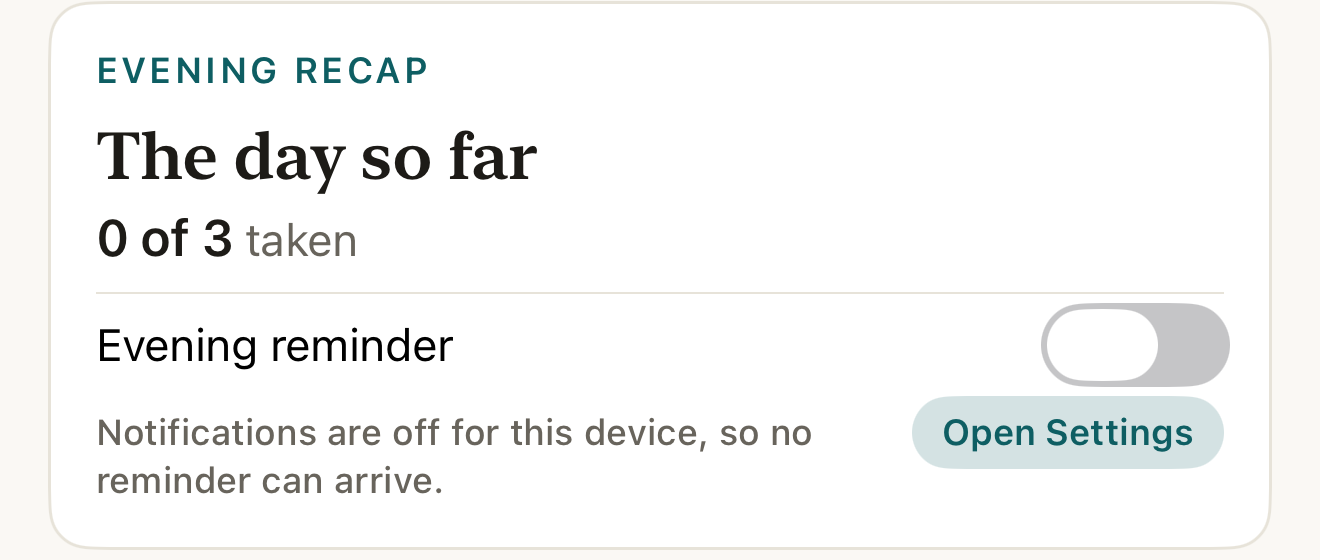
Fictional evening record: the recap states the day’s tally and any open accounting; the optional evening notification is a separate device setting. DisclosureDisplay-only evidence on a frozen clock in a fixture that never requested notification permission; it does not show delivery or the permission state of a real device.
- title
- tally
- Evening reminder
Where this screen comes from
- File
B4-F4-1-evening-recap-card.png(1320×560);B4-F4-1-evening-recap-card.webpis a lossy encode of it- Derivative SHA-256
be285b4d0fd06153d337b1b3f6e010b5b073d2c2fea5ea459269d8828d94707c- Source
B4-F4-1.pngin packageKeel-WT-7e41269-guide-figures-B4-core-20260924-132808-25483- Source SHA-256
5af34649d698d9936112adc24ab7ae3292e60873f1d5d53eb3349254f9636e6f- Package seal
92635fa4590819076023273798dc062eafb248db36057e2854ea6827c1c04ea7- Captured from
- Keel 1.0.0 (1), implementation
working tree 7e41269 (NOT a candidate; head 7e4126919da3a44a9ad2f2efaf3ad2467c1fbff7, build-input tree e68d5177c4229cbfc9a88a9e8bdad667ebf011692826b6bd4359833508618f28, build build-20260924-124300-17106) - Operation
- crop x0 y1930 w1320 h560 (source pixels, origin top-left)
The numbered markers are drawn by the page, not into the image.
- Turn on Evening reminder if wanted.
- If the card says Notifications are off for this device, so no reminder can arrive., use Open Settings to review permission.

What changes
The notification is a device-local opt-in, off by default, scheduled for 8:00 PM local time when its entitlement and permission conditions are met. There is no time picker on this card. It is separate from each routine's Remind me setting. iOS still controls delivery.
Where: Today
If it looks different
- If it looks different
- Before the evening boundary, or on a day with no scheduled rows, the card is absent. A partial tally keeps The day so far. If permission has not yet been read, the footer does not promise a reminder. Changing devices does not carry this notification opt-in through account sync.
The recap states the day's recorded tally; it never scores your health or suggests what to do next.