Keel · Guides · Account & Data
Sign in, sync and sign out
How do I back up my log?
A Keel account is optional.
AvailabilityFree
Understand this first
A Keel account is optional. Signing in enables backup and sync; it is separate from the Apple account used for subscription billing. A first sign-in adopts the local records into that account.

- Apple sign-in
- Continue with email
Where this screen comes from
- File
B4-F5-1-account-signed-out.png(1320×830);B4-F5-1-account-signed-out.webpis a lossy encode of it- Derivative SHA-256
6f9a797b7e6a92038a1fd69412302e1812125e2f1b1b469efebbde9879674ad9- Source
B4-F5-1.pngin packageKeel-WT-7e41269-guide-figures-B4-signedout-20260924-133646-29779- Source SHA-256
4f94c5507fbe509e9a1dfa0ed548bbca406e3849767ee18d54017efe53544850- Package seal
e67585e94b1f017c4abb15a1bf7753972ae1beb1682847a6c41123de5a2738fe- Captured from
- Keel 1.0.0 (1), implementation
working tree 7e41269 (NOT a candidate; head 7e4126919da3a44a9ad2f2efaf3ad2467c1fbff7, build-input tree e68d5177c4229cbfc9a88a9e8bdad667ebf011692826b6bd4359833508618f28, build build-20260924-132854-26131) - Operation
- crop x0 y870 w1320 h830 (source pixels, origin top-left)
The numbered markers are drawn by the page, not into the image.
Sign in
- Open Settings › Account.
- Choose Apple sign-in, or Continue with email.
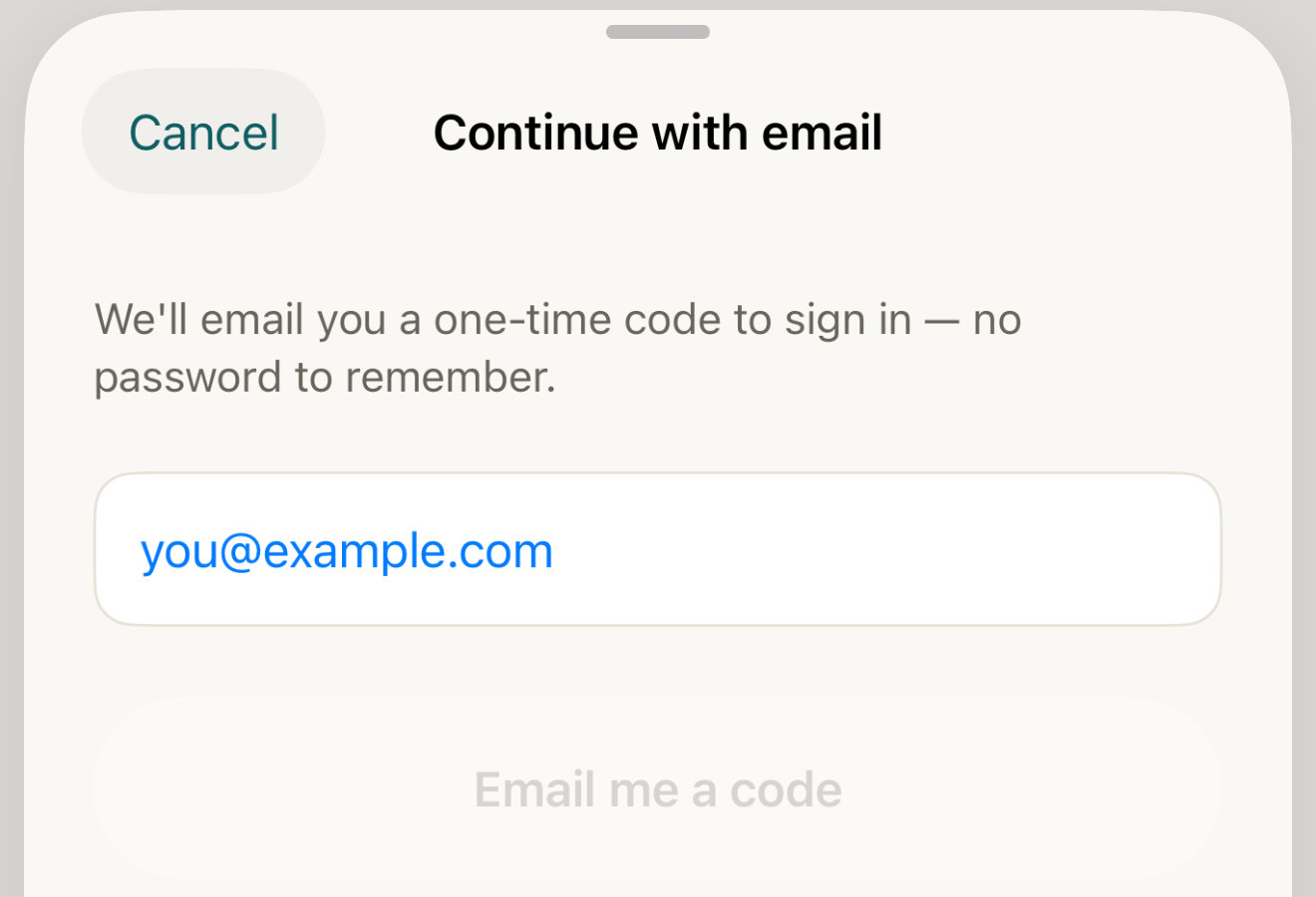
Email sign-in starts with your address and then a one-time code; this empty example does not send a message or create an account. - email field
- Email me a code
- Cancel
Where this screen comes from
- File
B4-F5-2-continue-with-email-sheet.png(1320×900);B4-F5-2-continue-with-email-sheet.webpis a lossy encode of it- Derivative SHA-256
49ff46ece4987affb1a7e348b1eb835229bc658c53a33f26a28af1b3f8421efb- Source
B4-F5-2.pngin packageKeel-WT-7e41269-guide-figures-B4-signedout-20260924-133646-29779- Source SHA-256
540bffad80f627d5dff34559805afab77fd2abbeda12d3114f8eb09e3f9aac64- Package seal
e67585e94b1f017c4abb15a1bf7753972ae1beb1682847a6c41123de5a2738fe- Captured from
- Keel 1.0.0 (1), implementation
working tree 7e41269 (NOT a candidate; head 7e4126919da3a44a9ad2f2efaf3ad2467c1fbff7, build-input tree e68d5177c4229cbfc9a88a9e8bdad667ebf011692826b6bd4359833508618f28, build build-20260924-132854-26131) - Operation
- crop x0 y440 w1320 h900 (source pixels, origin top-left)
The numbered markers are drawn by the page, not into the image.
- For email, enter your address and tap Email me a code.
- Enter the six-digit code. The sheet verifies it automatically when six digits are entered; Verify and sign in is also available.

Read the status
Not backed up yet means there is no completed-sync time. Syncing… means work is underway. Backed up… names the last successful sync, not a guarantee that a later unsaved edit is on the server. Sync issue includes the error and the next-open/Sync now retry route. The Sync now button is disabled while a sync is running.
Offline
- If offline
- For the same account, successfully saved local records remain on this device. Reconnect and open the app or use Sync now.
Another account
Switching to a different account replaces the previous account's local synced rows; edits that never successfully uploaded can be lost. Do not switch accounts as a retry for unsynced work.
Sign out
- Tap Sign out, read the confirmation, then confirm only if intended. Routines stay on the device; sign back in to resume syncing. Sign-out is not deletion.
Code failure
- If the code fails
- Check the displayed address; Use a different email and Resend code are available. An error stays visible rather than proving sign-in succeeded.
Account sync copies your records; it does not interpret them.