Keel · Guides · Today & Calendar
Snooze, Skip or Move?
What’s the difference?
Snooze lists this dose a few minutes later, Skip records that you chose not to take it, Move to… puts this one dose on a new time or day; none of them changes the routine.
AvailabilityFree
Snooze lists this dose at now plus a few minutes and marks it SNOOZED; the plan is unchanged (a dose you had already moved keeps its Move time on the row). Skip records that you chose not to take it. Move to… puts this one dose on a new time or day and marks it RESCHEDULED; on time or late is then judged from the new time. None of them changes the routine.
Snooze
- Tap the row › Snooze › Snooze 15 min, 30 min or 60 min (the routine’s own options if set). A swipe from the right offers Snooze with the first option.
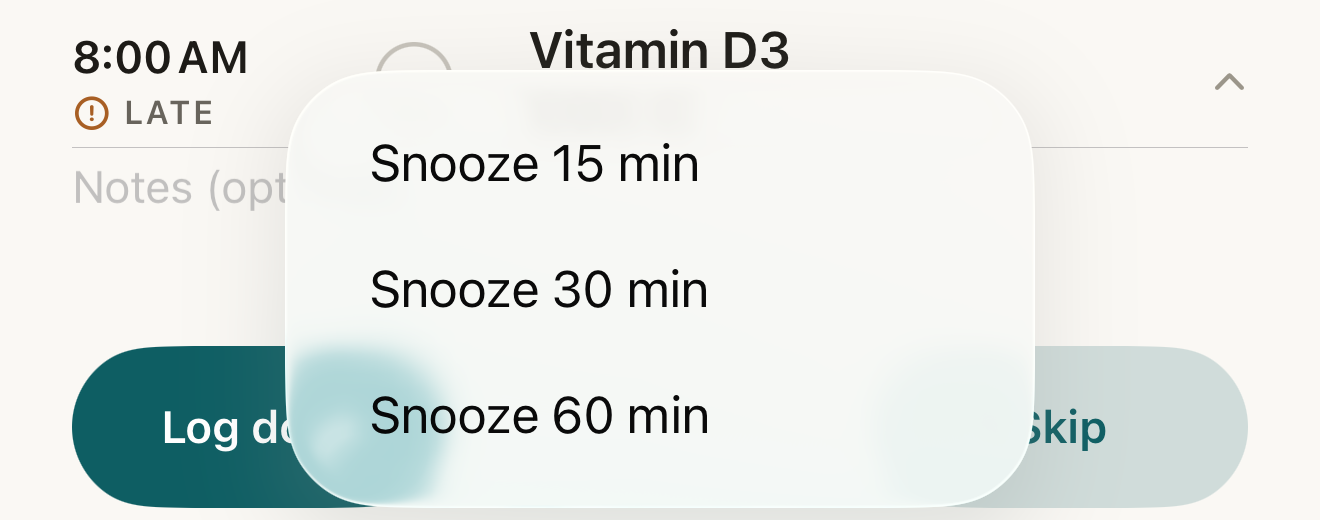
Snooze offers the routine’s options — 15, 30 or 60 minutes by default — and moves only this dose’s listed time. - Snooze 15 min
- Snooze 30 min
- Snooze 60 min
Where this screen comes from
- File
B10-F1-snooze-menu.png(1320×520);B10-F1-snooze-menu.webpis a lossy encode of it- Derivative SHA-256
3304787fb78acc61ce4927acea9dde0caac3fc567f9cbbaf1eefb96c4c784232- Source
B10-F1.pngin packageKeel-WT-7e41269-guide-figures-B1-20260924-090933-67253- Source SHA-256
531c1b50f5b724d86e696b35a0a790da87cf952a834f9ffa0621722fd746dbaa- Package seal
fd002ec92b03ee746be00143a4397ff542b7ef280c610dfb07bdf49a1ff4efc5- Captured from
- Keel 1.0.0 (1), implementation
working tree 7e41269 (NOT a candidate; head 7e4126919da3a44a9ad2f2efaf3ad2467c1fbff7, build-input tree 213aa887926d08f17538a5789db46f99fbc9a8120019b2cd3c59876621f68970, build build-20260917-181010-73820) - Operation
- crop x0 y1730 w1320 h520 (source pixels, origin top-left)
The numbered markers are drawn by the page, not into the image.

Skip
- Tap the row › Skip, or swipe from the right › Skip. The dose moves under Done · n with a dash and SKIPPED; Undo skip reverses it.
Move
- Tap the row › Move to…. A timed dose shows New time (not in the past); tap Move. An any-time dose shows New day, an Also set a time switch and, when on, At; tap Move or Move and set time.
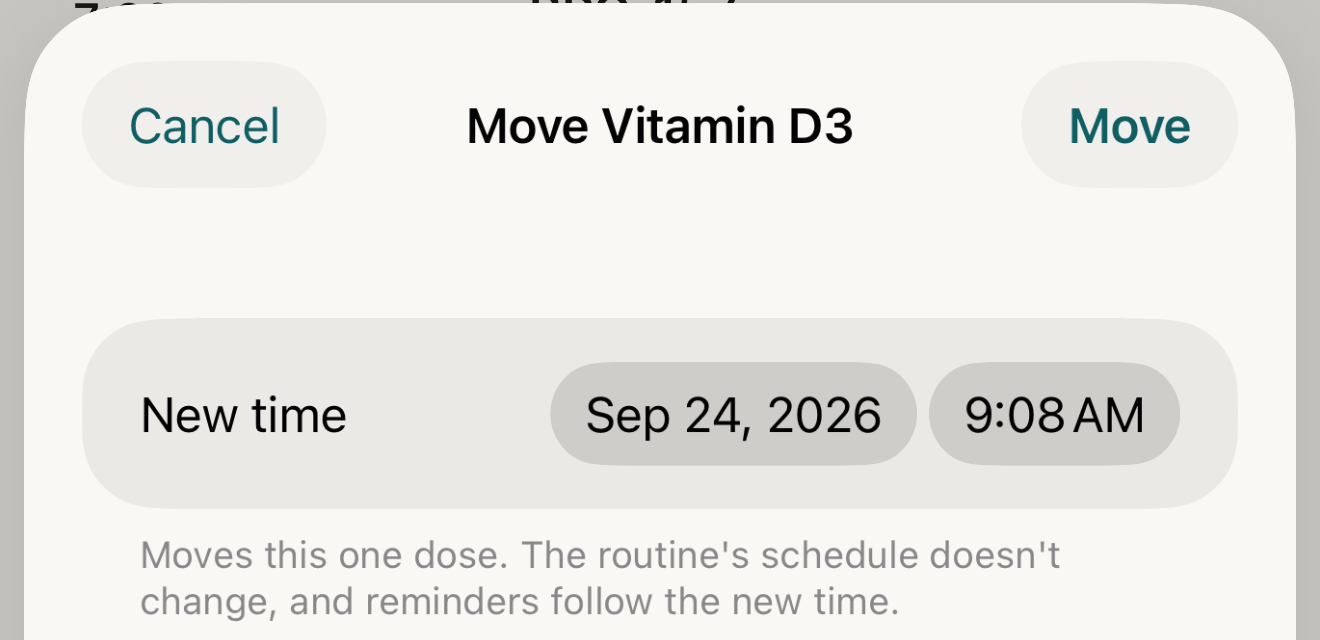
The Move sheet for a timed dose: one new date and time for this dose alone — the routine’s schedule is untouched. - New time
- footer
- Move
Where this screen comes from
- File
B10-F2-move-sheet.png(1320×640);B10-F2-move-sheet.webpis a lossy encode of it- Derivative SHA-256
782085ab29c206271fba6cc11cfeb65514791899431bd153a278e394a86e8b51- Source
B10-F2.pngin packageKeel-WT-7e41269-guide-figures-B1-20260924-090933-67253- Source SHA-256
640bd3557986083e006fc5fca69707cc4294a15db2fae2e6b8e76ca7168538c8- Package seal
fd002ec92b03ee746be00143a4397ff542b7ef280c610dfb07bdf49a1ff4efc5- Captured from
- Keel 1.0.0 (1), implementation
working tree 7e41269 (NOT a candidate; head 7e4126919da3a44a9ad2f2efaf3ad2467c1fbff7, build-input tree 213aa887926d08f17538a5789db46f99fbc9a8120019b2cd3c59876621f68970, build build-20260917-181010-73820) - Operation
- crop x0 y1350 w1320 h640 (source pixels, origin top-left)
The numbered markers are drawn by the page, not into the image.

This dose only
All three touch this dose only. A snoozed dose lists at its snooze time — unless it was moved before: a Move time outranks a later snooze on the row (Move → snooze → plan) — and keeps SNOOZED until that time passes; when you log it, Keel judges on time or late from the planned time, or the Move time if it was moved — never the snooze time — so snoozing cannot make a late dose on time. A moved dose is judged from its new time; moving also clears any snooze. A skip never shifts a routine that "shifts after late logs"; neither does a move.
If it looks different
- No Snooze?
- The dose is any-time (or the routine has no snooze options); use Move to… or Skip.
- The snoozed row jumped from Overdue to Later?
- Its time is now in the future, so it lists there with SNOOZED.
- Move opens showing a time other than the row’s?
- The sheet starts at the dose’s effective time or now, whichever is later, so an overdue dose opens at now and a snoozed or moved dose at its future time.
- "This dose’s timezone can’t be read on this device, so it can’t be moved here."
- The move is refused rather than guessed.
Snooze, Skip and Move change when a dose is listed or whether it is recorded; Keel never suggests postponing, skipping or rescheduling anything.