Keel · Guides · Today & Calendar
Add notes and an injection site
Where do notes go?
Open the dose’s row: injectables show Injection site, every row shows Notes (optional); the site saves at once, notes when the row is closed, and both travel with the log.
AvailabilityFree
Steps
- Tap the dose’s row to open it. Injectable routines show Injection site; every row shows Notes (optional).
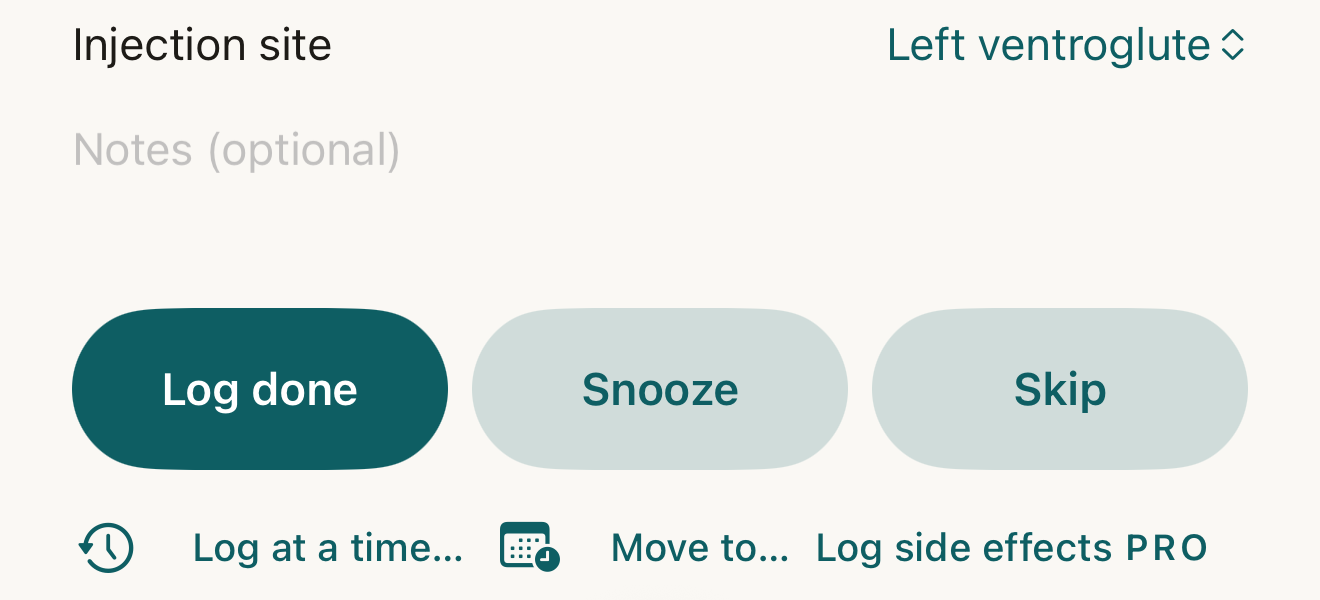
An open injectable row: the site menu on the right, the notes field beneath; the site saves at once, notes when the row is closed, and both then travel with the log. - Injection site menu
- Notes (optional)
Where this screen comes from
- File
G1-F2-dose-expanded-injectable.png(1320×600);G1-F2-dose-expanded-injectable.webpis a lossy encode of it- Derivative SHA-256
25db73e8bb2105572562f0961cb78e0abeb65e4e973ebf622b4c197226f38199- Source
store-2-dose-expanded.pngin packageKeel-V1-4cbadaa-store-listing-20260908-1619- Source SHA-256
d7cf95fba9d2af169ec03a5d5a4f5d0272440fdfbcdb28d74e4ff8ac5e384166- Package seal
bb6bb8cb8f301a369afef5cc37180914f5d7196376f0be585127f6cb51993aa6- Captured from
- Keel 1.0.0 (1), implementation
4cbadaa1c63a0678b61e703583fadc9af226267d(reused-unchanged) - Operation
- crop x0 y1925 w1320 h600 (source pixels, origin top-left)
The numbered markers are drawn by the page, not into the image. Full provenance.
- Site — with a rotation set on the routine, the menu shows the planned site; tap it to choose Rotation (<site>) or any listed site. Without a rotation, type the site in the field (placeholder Optional). Your choice is saved at once.
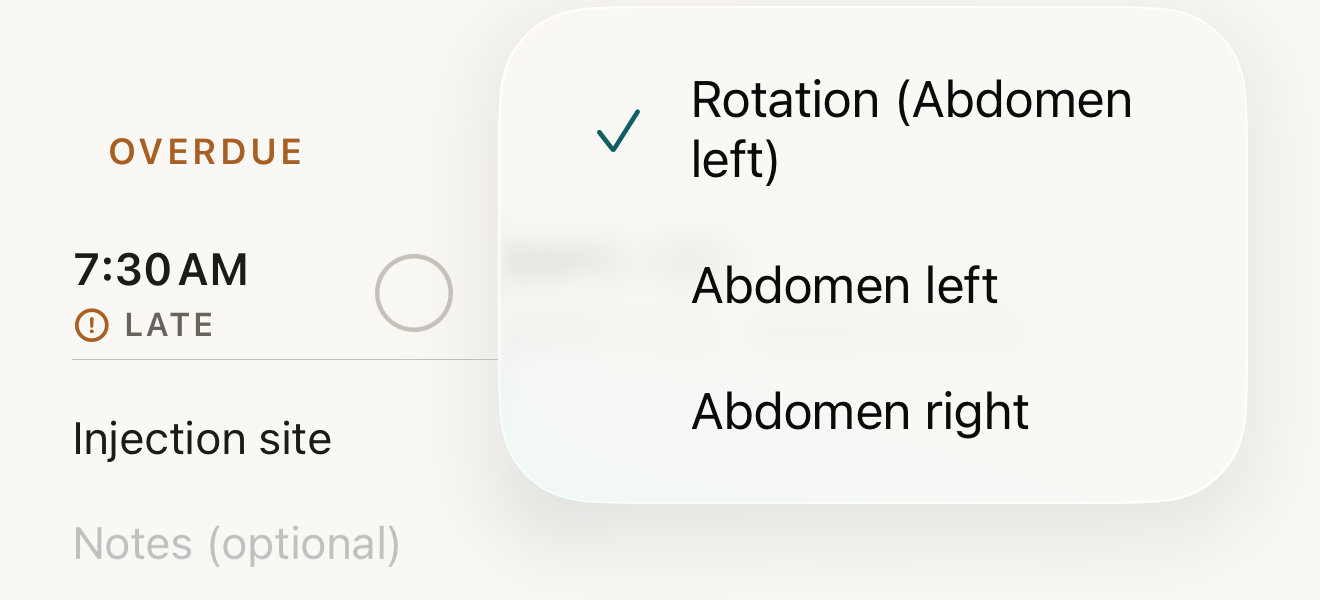
Fictional routine: the rotation’s planned site is ticked; pick another for this dose only — the rotation itself is unchanged. - Rotation (<site>) with its tick
- the listed sites
Where this screen comes from
- File
B7-F2-site-menu.png(1320×600);B7-F2-site-menu.webpis a lossy encode of it- Derivative SHA-256
bab2574933d6e9699c5ef1af88a1113434da70f40d5fc2f69c3f1db941c2c0a5- Source
B7-F2.pngin packageKeel-WT-7e41269-guide-figures-B1-20260924-090933-67253- Source SHA-256
04284e00c21c85acb5910adf50b0d18cbf1327291390e56a2fd7b9a3d163a952- Package seal
fd002ec92b03ee746be00143a4397ff542b7ef280c610dfb07bdf49a1ff4efc5- Captured from
- Keel 1.0.0 (1), implementation
working tree 7e41269 (NOT a candidate; head 7e4126919da3a44a9ad2f2efaf3ad2467c1fbff7, build-input tree 213aa887926d08f17538a5789db46f99fbc9a8120019b2cd3c59876621f68970, build build-20260917-181010-73820) - Operation
- crop x0 y1100 w1320 h600 (source pixels, origin top-left)
The numbered markers are drawn by the page, not into the image.
- Notes — type in Notes (optional), then close the row by tapping its header: that is what saves the notes — until then the draft is only in memory. Log done and Log at a time… on the open row do not save the draft first, so close the row, then log (tapping the circle closes it first); switching tabs does not save by itself.
- Log the dose as usual (Log done, the mark, or Log at a time…).


What changes
The row’s grey line reads dose · site while pending. The log records the site you chose (else the rotation’s planned site) and the notes saved on the row; the settled row shows Injection site and the notes, or "Logged — no site or notes recorded." The routine’s rotation advances by one after each logged injection.
Where: The row, pending and under Done · n
If it looks different
- The site is a menu, not a field?
- The routine has a rotation; free text appears only without one.
- No Injection site at all?
- The routine is not injectable and has no site options.
- Notes typed in an open row disappeared?
- They are lost if Keel is closed before the row collapses.
- Log at a time… shows a different note?
- It carries the row’s site and its saved notes (not an unsaved draft) into its sheet, where you can change them.
Correct a mistake
After logging, open the row under Done · n › Edit log to change Injection site or Notes.
- The earlier version stays in history.
Sites and notes are your own words about your own record; Keel never suggests a site, a rotation or a note.